We need distraction-free time to make progress on our creative projects. At the same time, we rely on online networks and information to nourish our ideas. The trouble is, spending time online is rarely distraction-free. So, is it possible to get the best of both worlds?
The short answer is yes. In this post I share the strategies that I have adopted to maintain distraction-free time while working online. These include five apps that I regularly use to manage what information I see and when.
This post follows on from my previous post 9 ways to build creativity in your organisation, focusing on steps that individuals can take to manage their own creativity. Expect more from me on this theme in coming posts.
Principles
There are four principles that underpin my approach:
1 – Know your mode
In his book ‘Getting Things Done‘, David Allen tells readers not confuse time when you are processing actions with time when you are completing an action. The same is true for working online. Be clear about whether you are meant to be processing emails/tweets etc, completing an action or, importantly, spending time reading.
2- Avoid the inbox
Enter the inbox, get all the information you need out of there, and then leave. If you return when you are in the middle of something else, don’t be surprised if you get distracted.
3- Reduce the back-and-forth
Just because we can respond instantly, doesn’t mean we have to. Instant responses lead to communication inflation, and erode time to ourselves.
4- Remove notifications
Until the last 100 or so years, toothache must have been the bain of adults lives – always nagging, never leaving us in peace. Today, in the age of modern dentistry, what nags us instead, what disrupts our peace, are social media notifications. If we set regular times to look at our various feeds, we don’t need notifications.
5 apps
I am being generous with the definition of ‘apps’, here to mean both ‘app-lications’ and ‘app-roaches’.
1 – Task management – use Bullet Journal
The first app isn’t an app at all, it’s an instead-of-an-app. For years I’ve been playing around with lots of different apps for managing tasks. My favourites are OnmiFocus and Trello. The trouble with even the best of these tools is that they allow you to create never-ending lists of tasks that you could never get done.
Bullet Journal is different. It is no more than a set of rules for using a paper notebook to manage your tasks. It’s simple, and it works. Each day you write down the tasks you need to complete. At the end of the day, you either forward incomplete tasks to the next day, by physically writing them out again, or your forward it to a page for the week or even month ahead, again physically writing down the tasks. It works because every time you re-write something you end up saying to yourself, ‘come on, am I actually going to do this?’
I’ve been using it for four months now and I’m hooked. Here’s a great intro video for using Bullet Journal.
2 – Information storage and online workspace – Evernote
Evernote is a great tool for storing information and for working online. Here’s how I use it to minimise distractions.
- As I am processing emails, if I find something that I need to refer to later for a particular project, I forward it to Evernote (which you can do straight from your email), adding meta tags in the subject line so that Evernote can file it for me.
- When I am working on a project, I can then look through the notes filed in Evernote that have that project tagged. It’s a great way to get to the information without being distracted by something new in the inbox.
- I do all first drafts of longer emails in Evernote – I can even send them from Evernote without having to go back into my inbox.
One really neat feature of Evernote is that as you use it more and more, it starts to recognise when something you are writing is similar to a previous note – this has the added bonus of making connections that I hadn’t otherwise seen.
3 – Online reader – Instapaper
Until I discovered Instapaper, I had basically stopped reading the articles that people were sending me online. This happened as a consequence of being rigourous about not spending more than two minutes processing any email that someone had sent me. If a correspondent had sent me something to read, I would forward it to a folder called ‘browsing’ where it would then languish unread.
And then I discovered Instapaper, an app that you can forward reading informaiton to. When you open the app, all your articles are there but with the formatting stripped away. What’s left is really clear to read.
Since then I usually make at least one time a week when I sit down with a cup of coffee and read my articles for the week on Instapaper. It is really refreshing to spend time reading longer articles from end to end.
If I like what I read, I forward it to Evernote, tagged for appropriate interests. If I want to share it with other people, I forward it to Buffer – see below.
4 – Schedule social media posts using Buffer
I know from looking at the analytics that most of the people that follow me are online at times when I’d rather not be. To get round this I use Buffer to schedule some of my social media posts to maximise the chances that the people I want to see the post do. Buffer allows you to set up daily posting schedules for all your social media channels. You can save time by posting to several channels simulataneously. Buffer will tell you what times your audience members are interacting with your contact, and can adjust your posting schedule to suit.
5 – Clear yesterday’s messages today
This is a great rule of thumb that I only came across recently in the Guardian (thanks Jenny for the recommendation!). I’ve long abandoned the idea of having an empty inbox – as a strategy it takes too much time and I think can actually lead to more email traffic. In this approach, on any given day, you should only aim to deal with yesterday’s emails. You are still responding within 24 hours, which is a reasonable timeframe, but your response has to be carefully written as you have to empower your correspondent to act without hearing from you againfor 24 hours.
Conclusion
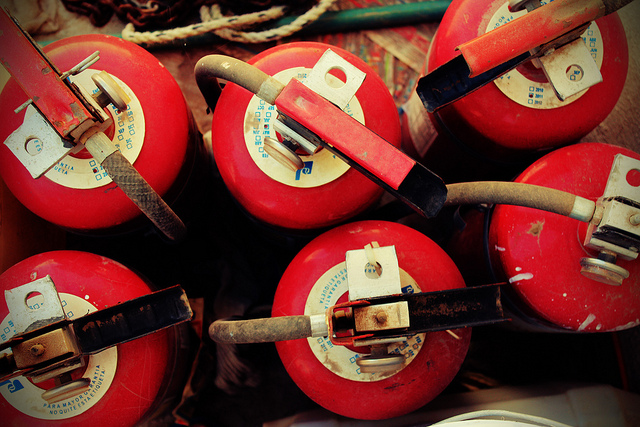
My Dad once quoted the following to me (I am hoping he can remember where it came from and can tell us in the comments to this post): getting information from the internet is a bit like trying to take a sip of water from a fire extinguisher.
Yes, we need access to online information and networks for our creative projects – we just need to manage the flow.
Related posts
Image credit: Fire Extinguishers by Claudio González is available under CC-BY-2.0